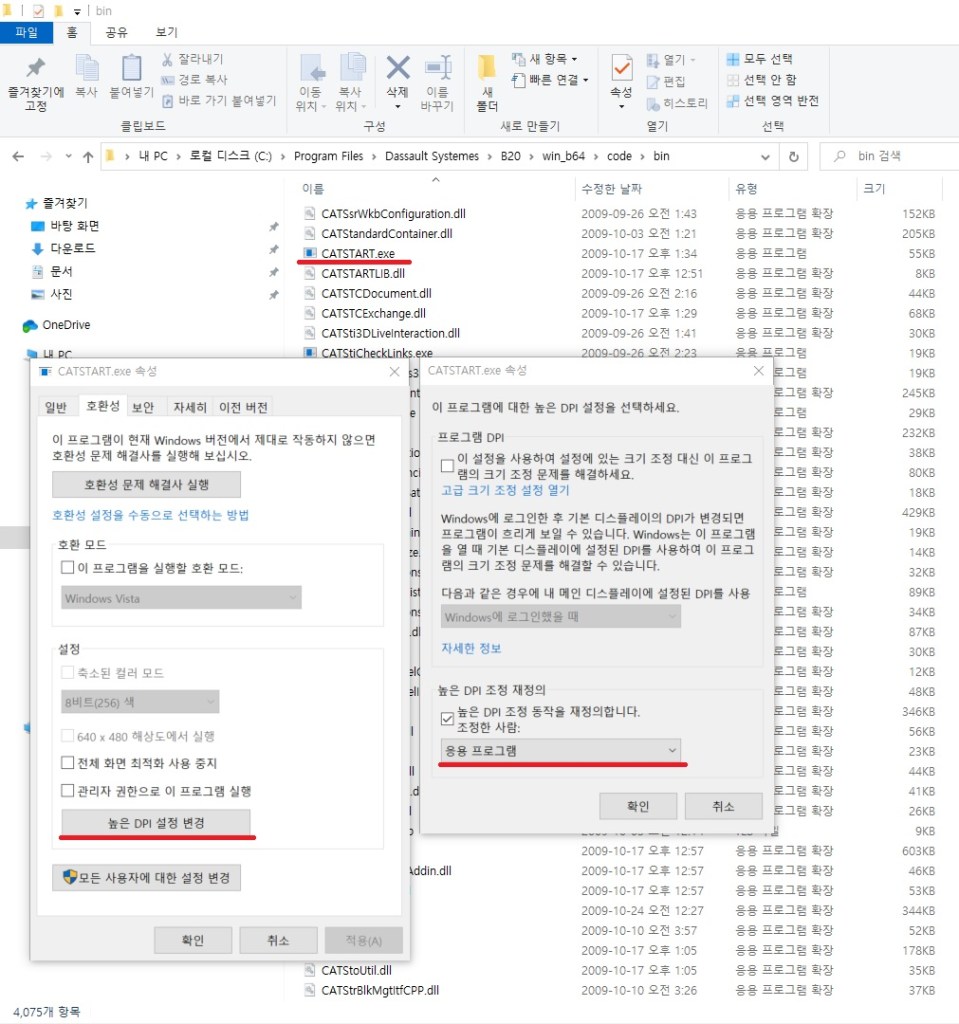
- 설치 디렉토리 – CATSTART.exe 오른쪽 클릭
- 호환성 탭 – 높은 DPI 설정변경 클릭
3. 높은 DPI 조정 재정의 – 응용프로그램 설정
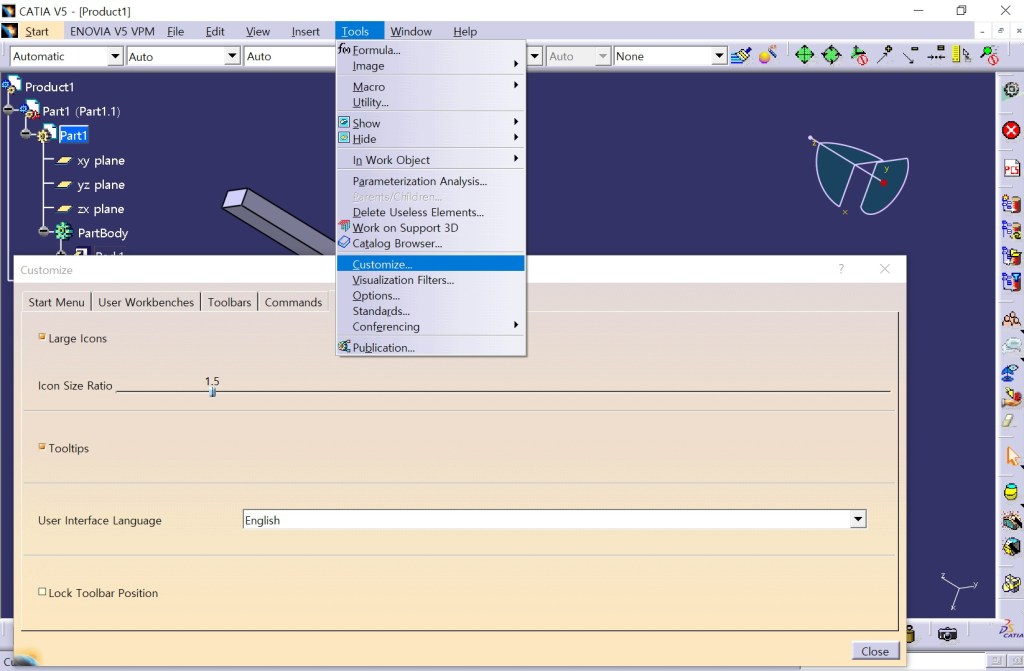
4. Tools-Customize-Option
Large Icons (check)
Icon Size Ratio (4K기준 1.5)
좀 더 시원한 작업환경에서 작업이 가능
4. Tools-Customize-Option
Large Icons (check)
Icon Size Ratio (4K기준 1.5)
좀 더 시원한 작업환경에서 작업이 가능
 TeoLab
Leave a comment